10 Essential Shopify Store Design Tips for 2026 Success
By Muhammad Abdullah · October 2, 2026
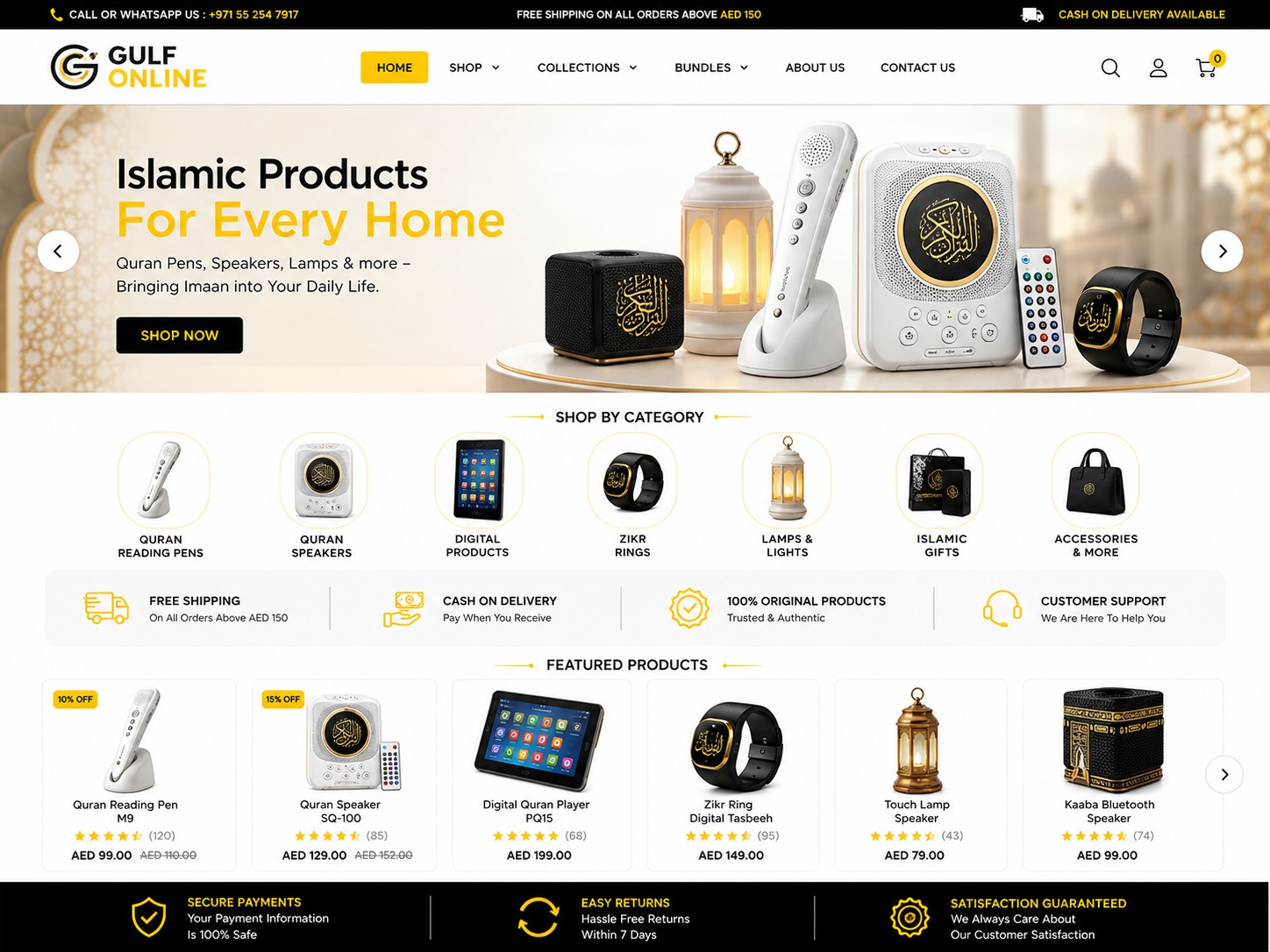
Effective Shopify store design tips focus on creating a seamless blend of aesthetic appeal and functional simplicity to convert visitors into loyal customers. To succeed in 2026, your store must prioritize mobile responsiveness, lightning-fast load times, and a localized user experience that builds immediate trust with your target audience.
As a Shopify expert based in Pakistan serving clients across the UAE and globally, I have seen firsthand how a well-designed store can be the difference between a struggling hobby and a thriving seven-figure business. The digital landscape is more competitive than ever, and simply having a product isn't enough. You need an interface that guides the user effortlessly from the landing page to the checkout button. In this guide, I will share the exact strategies I use to build professional, high-performing stores for my clients.
Why is Shopify store design crucial for your business?
Your Shopify store is your digital storefront. In the same way a physical shop in the Dubai Mall or a boutique in Lahore relies on its window display and layout to attract customers, your online store relies on its design. Research consistently shows that users form an opinion about a website within 50 milliseconds. If your design looks outdated, cluttered, or confusing, you are losing money before the customer even sees your product prices.
Design also dictates trust. For shoppers in the Middle East and South Asia, where e-commerce is still evolving, security is a major concern. A professional design with clear branding, high-quality images, and intuitive navigation signals to the customer that your business is legitimate. By following modern Shopify store design tips, you reduce friction and address the psychological barriers that prevent people from entering their credit card details or committing to a Cash on Delivery (COD) order.
What are the best Shopify store design tips for mobile users?
In 2026, mobile-first is no longer a suggestion; it is the standard. Over 70% of e-commerce traffic in the UAE and Pakistan originates from smartphones. If you design your store on a desktop and treat mobile as an afterthought, you are ignoring the majority of your market. To optimize for mobile, you must ensure that all buttons are 'thumb-friendly'—large enough to be tapped easily without zooming in.
Furthermore, simplify your mobile menus. Use a clean 'hamburger' menu and ensure your search bar is prominent. Avoid intrusive pop-ups that cover the entire screen on mobile devices, as these lead to high bounce rates. I always recommend testing your store on various screen sizes to ensure that text remains readable and that product images don't require horizontal scrolling. A 'Sticky Add to Cart' button is another excellent mobile-specific design tip that keeps the primary call to action visible even as the user scrolls down to read product descriptions.
How do you design for the Pakistani and UAE markets?
Localization is one of the most overlooked Shopify store design tips. For the UAE market, luxury and speed are paramount. Your design should reflect a premium feel with clean lines and high-end typography. Integrating local payment solutions like Tabby or Tamara (Buy Now, Pay Later) directly into the product page design is a proven way to increase conversions in the Gulf region. If you are targeting an Arabic-speaking audience, ensure your theme supports Right-to-Left (RTL) orientation to provide a natural reading experience.
For the Pakistani market, trust and communication are key. I highly recommend placing a WhatsApp chat icon in a fixed position on your store. Pakistani shoppers often prefer to ask a quick question before placing an order. Additionally, clearly highlighting 'Cash on Delivery' and 'Easy Returns' near the 'Add to Cart' button can significantly boost confidence. Use localized imagery; for example, if you are selling clothing, using models and settings that resonate with the local culture helps the customer visualize themselves using your product.
The Power of Visual Hierarchy and Storytelling
A common mistake I see is a lack of visual hierarchy. Every element on your page should not be competing for attention. Use size, color, and whitespace to tell the visitor what is most important. Your 'Buy Now' button should be the most vibrant color on the page, while secondary information like shipping policies should be in a more neutral tone. This guiding hand makes the shopping experience feel less like a chore and more like a curated journey.
Visual storytelling involves more than just pretty pictures. Use 'lifestyle' photography alongside 'studio' shots. For instance, if you sell kitchenware, don't just show a knife on a white background; show it being used in a beautifully lit kitchen. This helps build an emotional connection. Ensure all images are compressed using the WebP format to maintain high quality without sacrificing loading speed—a critical technical aspect of Shopify store design tips.
Optimizing the Checkout Experience for Lower Abandonment
The checkout page is where most sales are lost. While Shopify's standard checkout is highly optimized, you can still improve the design leading up to it. Minimize the number of steps required to complete a purchase. Use a 'cart drawer' instead of a separate cart page to keep the user on the current page while they review their items. This keeps the momentum going.
Include trust badges such as 'Secure SSL Encryption' or 'Authorized Dealer' logos near the final payment button. In 2026, transparency is also a design element. Clearly show shipping costs and estimated delivery times early in the process. Unexpected costs at the final stage are the number one reason for cart abandonment globally. By designing a transparent and streamlined path to purchase, you respect the customer's time and increase your store's profitability.
Technical Checklist for a Professional Shopify Store
- Enable 'Lazy Loading' for images to improve initial page load speed.
- Use a maximum of two font families to maintain a clean, professional look.
- Implement a 'Quick View' feature for collections to allow faster browsing.
- Ensure all images have descriptive Alt Text for SEO and accessibility.
- Add a 'Back to Top' button for long-scrolling product pages.
- Integrate customer reviews with photos to provide social proof.
- Test your site speed on Google PageSpeed Insights and aim for a score above 80.
- Check all external links to social media profiles to ensure they open in a new tab.
Frequently Asked Questions
Q: Should I use a free or paid Shopify theme? While free themes like Dawn are excellent for beginners and offer great speed, paid themes often come with built-in features like countdown timers, mega menus, and advanced filtering that would otherwise require monthly app fees. For a growing business in Pakistan or the UAE, a premium theme is usually a better long-term investment for a professional look.
Q: How many products should I show on my homepage? Less is more. Focus on your bestsellers or new arrivals. Crowding your homepage with 50 products creates 'choice paralysis' where the customer gets overwhelmed and leaves. Use high-quality banners to direct traffic to specific collections rather than trying to show everything at once.
Q: Is video better than images for Shopify stores? In 2026, video is extremely effective for conversion. Short, 15-second product demonstration videos or user-generated content (UGC) can increase time-on-site and help customers understand the product better than static images alone. However, ensure videos are optimized so they do not slow down your page loading speed.
Designing a Shopify store that actually sells requires a strategic approach that goes beyond basic templates. Whether you are launching a new brand in Dubai or expanding your local business in Karachi, these Shopify store design tips will help you build a more credible and profitable online presence. If you need a professional to handle your store design, theme customization, or conversion rate optimization, feel free to reach out to me, Muhammad Abdullah, via my website to discuss how we can grow your brand together.
Ready for shopify store design?
See the full scope, process, and pricing — or book a project directly.
Explore Shopify Store DesignMore Shopify posts
How Much Does a Shopify Store Cost in 2026? A Real Breakdown by Abdullah
Abdullah breaks down the real cost of building a Shopify store in 2026 — subscription, theme, apps, design, and launch — with honest numbers for Pakistan and international clients.
Read postThe Shopify Launch Checklist: 12 Things to Fix Before You Go Live
Abdullah's pre-launch Shopify checklist — 12 concrete things to test on your store, from mobile speed to checkout flow, before you send it your first paid visitor.
Read post