Mastering Shopify Product Page Design for Maximum Sales
By Muhammad Abdullah · October 3, 2026
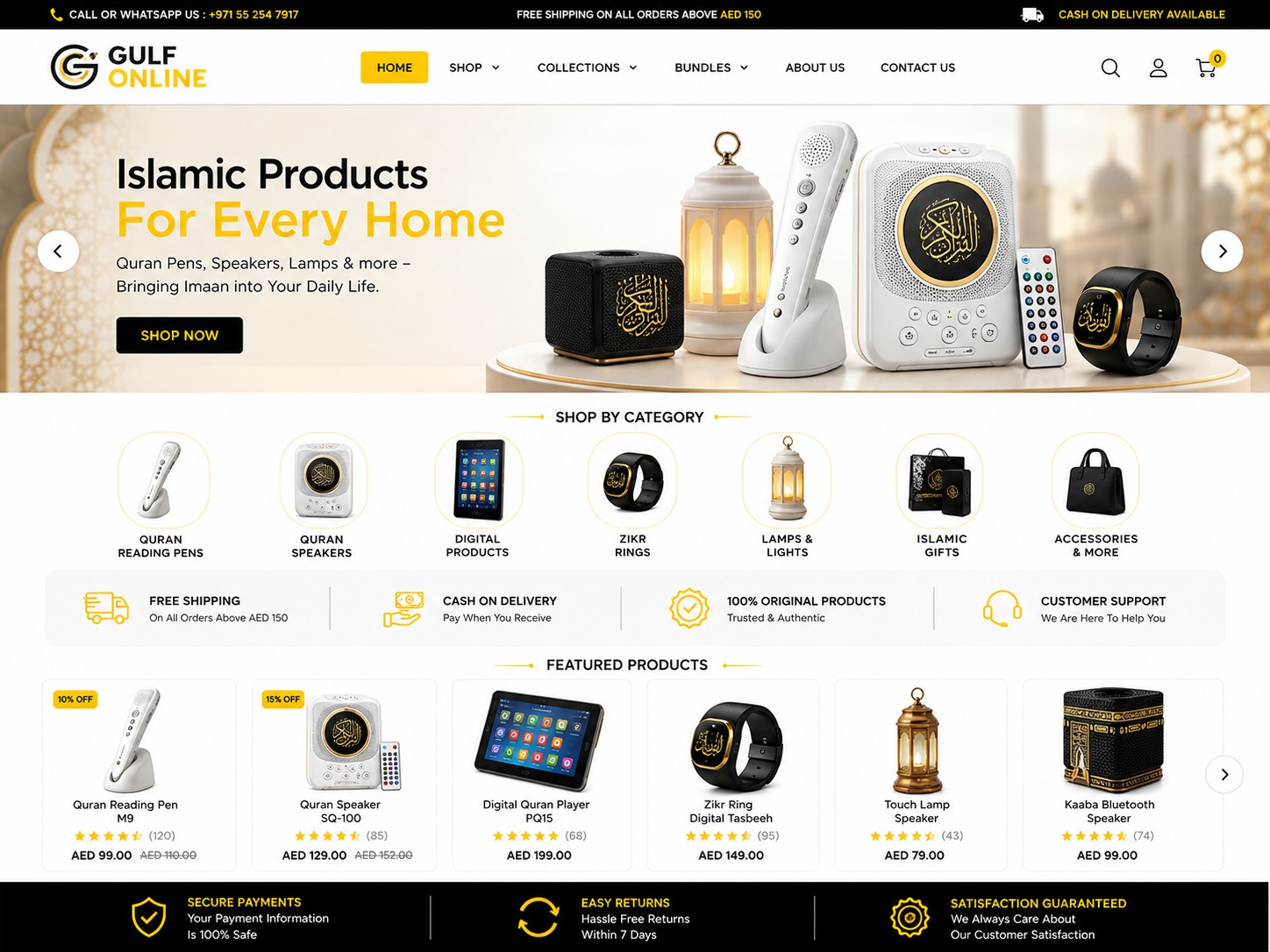
Effective Shopify product page design is the process of strategically arranging visual elements, persuasive copy, and functional features to convert store visitors into paying customers. By focusing on user experience and psychological triggers, you can transform a standard product listing into a high-performance sales tool that builds trust and simplifies the path to purchase.
In the competitive world of e-commerce, your product page is essentially your digital salesperson. Whether you are running a boutique in Lahore or a luxury electronics store in Dubai, the way you present your items determines your conversion rate. I have spent years helping brands across Pakistan and the UAE refine their online presence, and I have seen firsthand how a few design tweaks can lead to a massive increase in revenue. In this guide, I will walk you through the essential components of a world-class Shopify product page.
Why is Shopify product page design critical for your business?
Most store owners spend their entire budget on Facebook or Google Ads, driving traffic to a page that isn't ready to sell. If your Shopify product page design is cluttered, slow, or confusing, you are effectively throwing money away. A well-designed page reduces friction, answers customer objections before they arise, and establishes your brand's authority.
In regions like the Middle East and South Asia, trust is the primary currency. Customers are often skeptical of online shopping due to past bad experiences. A professional layout, clear shipping information, and high-quality visuals act as trust signals. When a customer lands on a page that looks polished and functions smoothly, their anxiety decreases, and their willingness to click the 'Add to Cart' button increases significantly.
How to optimize Shopify product page design for mobile users?
In Pakistan and the UAE, over 80% of e-commerce traffic comes from mobile devices. If your Shopify product page design is not 'mobile-first,' you are losing the majority of your potential market. Mobile optimization goes beyond just making things smaller; it’s about 'thumb-friendly' navigation and quick access to information.
Ensure that your 'Add to Cart' button is visible without scrolling (above the fold) on mobile screens. Use sticky headers or footers so the purchase option is always available. Furthermore, optimize your image sizes. Large, uncompressed images will kill your loading speed on 4G or 5G networks, leading to high bounce rates. Mobile users are impatient; your page should be interactive within two seconds.
Essential visual elements of a high-converting product page
Humans are visual creatures, and in online shopping, we cannot touch or feel the product. Your Shopify product page design must bridge this gap. This starts with high-resolution imagery from multiple angles. For fashion brands in the Gulf, including a video of the fabric's movement can be the difference between a sale and a skip.
Don't just show the product in a vacuum. Use lifestyle photography to show the product in use. If you are selling home decor in Karachi, show that lamp on a beautifully styled bedside table. This helps the customer visualize the product in their own life. Additionally, implement a zoom feature so customers can inspect the quality and texture of the materials.
Tailoring your design for Pakistan and Gulf markets
Localization is a secret weapon in Shopify product page design. For the Pakistani market, integrating a prominent 'Order on WhatsApp' button is often more effective than a standard checkout for certain niches. It caters to the local preference for conversational commerce and builds immediate rapport.
For the UAE and Saudi markets, highlighting 'Cash on Delivery' (COD) and 'Buy Now, Pay Later' options like Tabby or Tamara directly on the product page is essential. Mentioning delivery timelines specifically for cities like Dubai, Riyadh, or Islamabad can also boost confidence. If you offer free shipping for orders over a certain amount, make sure that is visible right next to the price.
Mastering product descriptions and micro-copy
Your product description should not just be a list of features; it should be a list of benefits. Instead of saying 'This watch has a leather strap,' say 'The premium Italian leather strap provides all-day comfort and a sophisticated look for your business meetings.' Good Shopify product page design uses typography to make this copy readable.
Use bullet points for technical specifications and short paragraphs for storytelling. Use H3 tags for sub-headers within your description to make it skimmable. Remember to include your focus keywords naturally within the text to improve your SEO rankings, ensuring that people searching for your products in Google can actually find you.
The Checklist: 10 Must-Have Features for Your Product Page
- Clear, descriptive product title with relevant keywords.
- High-quality image gallery with zoom and 360-degree views.
- Prominent 'Add to Cart' button with a contrasting color.
- Transparent pricing and clearly stated discount percentages.
- Trust badges (Secure Checkout, Money-Back Guarantee).
- Social proof through customer reviews and star ratings.
- Size guides or technical specifications in a toggle/tab.
- Stock availability indicators (e.g., 'Only 3 left in stock').
- Related products or 'Frequently Bought Together' sections.
- Clear shipping and return policy links.
Using Social Proof to Build Instant Credibility
In the world of Shopify product page design, social proof is the ultimate closer. When a shopper sees that 50 other people in Dubai have bought this item and loved it, their hesitation vanishes. Integrate a review app that allows users to upload photos of their purchases. Real-world photos from other customers are often more persuasive than professional studio shots.
If your store is new and you don't have many reviews yet, focus on other trust signals. Mentioning 'Secure SSL Encryption' or 'Authorized Dealer' can help. For B2B or high-ticket items, adding a testimonial from a recognizable person or company can drastically improve your Shopify product page design performance.
Frequently Asked Questions
Q: Does my Shopify theme affect my product page design? A: Absolutely. While most modern themes are customizable, the underlying structure of your theme dictates how easily you can move elements around. Premium themes usually offer more 'sections' on product pages, allowing for better storytelling and layout flexibility without needing custom code.
Q: How many images should I have on my product page? A: There is no magic number, but generally, 4 to 7 images are ideal. You should include a main hero shot, different angles, a close-up of the texture/detail, and at least one lifestyle shot. For complex products, an exploded view or a video is also recommended.
Q: Will a custom product page design slow down my site? A: It can if not done correctly. Excessive use of large unoptimized images, too many third-party apps, or messy custom Liquid code can increase load times. Always use a developer who understands performance optimization to ensure your design looks great and loads fast.
Optimizing your Shopify product page design is an ongoing journey of testing and refining. By implementing these strategies, you are setting your business up for long-term growth and better ROI on your marketing spend. If you are looking for a professional to audit your current store or build a high-converting Shopify experience from scratch, I am here to help. Contact me, Muhammad Abdullah, today through my website to discuss how we can take your e-commerce business to the next level.
Ready for shopify store design?
See the full scope, process, and pricing — or book a project directly.
Explore Shopify Store DesignMore Shopify posts
How Much Does a Shopify Store Cost in 2026? A Real Breakdown by Abdullah
Abdullah breaks down the real cost of building a Shopify store in 2026 — subscription, theme, apps, design, and launch — with honest numbers for Pakistan and international clients.
Read postThe Shopify Launch Checklist: 12 Things to Fix Before You Go Live
Abdullah's pre-launch Shopify checklist — 12 concrete things to test on your store, from mobile speed to checkout flow, before you send it your first paid visitor.
Read post